Overview This Tutorial is a demo of how to use ArduCAM Mini 2MP/5MP camera modules on Arduino UNO R3.
This demo needs: Arduino UNO R3 Board(x1), ArduCAM Mini 2MP camera module(x1), Dupont connector wires M-F(x8).
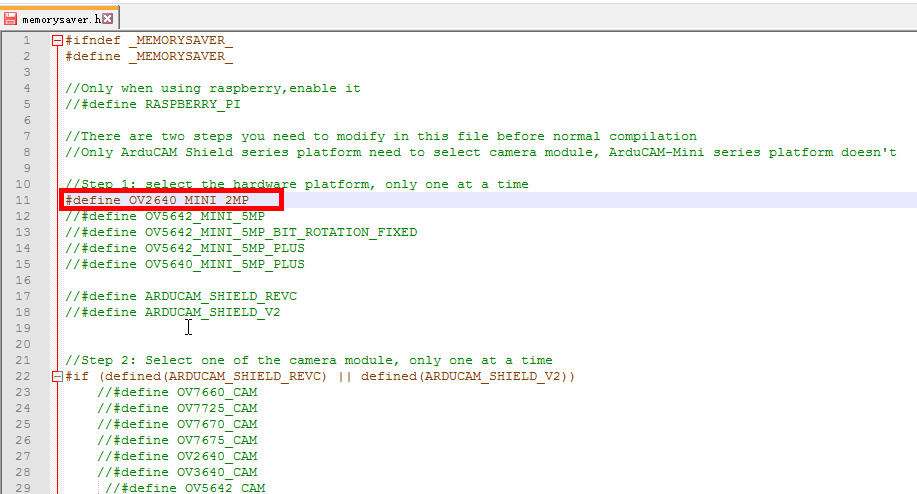
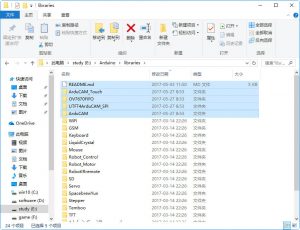
Getting Started ArduCAM Mini Camera modules with Arduino IDE 1.Copying libraries The latest source code library and examples can be downloaded from the https://github.com/ArduCAM/Arduino. The ArdCAM library is designed for Arduino platform,which is composed by four sub-libraries It is ArduCAM,ArduCAM_Touch,0V7670FIFO and UTFT4ArduCAM_SPI. These four libraries should be copied right under the libraries of Arduino directory in order to be recognized by the Arduino IDE. Also, the README.md is important,you should have a look.Configure the camera setting You need to modify the memorysaver.h file in order to enable OV2640_MINI_2MP or OV5642_MINI_5MP_PLUS or OV5640_MINI_5MP_PLUS camera modules.
Only one camera can be enabled at a time.The memorysaver.h file is under the ArduCAM libraries of Arduino directory in order to be recognized by the Arduino IDE.After that open the Arduino IDE,Select Arduino/Genuino Uno board from Tools->Board menu.
Select the example from File->Examples->ArduCAM->mini->ArduCAM_Mini_Video_Streaming and upload it.
Open ArduCAM_Host_V2.0_Windows Host app. (Arduino\libraries\ArduCAM\examples\host_app\ArduCAM_Host_V2.0_Windows).
Here are our forum rules to comply with if you want to post a new topic:
Arducam posting rules
The posting rules aim to help you better articulate your questions and be descriptive enough to get help.
Any topic that fails to comply with the posting rules will be unapproved starting from 11/11/2020.
This forum is public. If you prefer a private conversation with Arducam, go to our Contact Center.
If you need help with the Arducam products you’ve purchased, please include the following questions in your post and answer them to help us better understand your needs.
Which seller did you purchase the product(s) from? (Is it Amazon, UCTRONICS, or other Arducam distributors?)
What’s the Model number of the product(s) you’ve purchased? (If you don’t know the model number, show us the link to the product.)
Which Platform are you using the product(s) on? (Is it a Raspberry Pi 3B+/4B, Arduino UNO R3, Jetson Nano B01, or another host?)
Which instruction are you following? (Is it our paper instruction manual, online documentation, or video tutorial? A link will Help.)
Has your product ever worked properly? (Never worked, quit working, or work intermittently)
What problems are you experiencing? (pictures and error codes will help a lot)
What attempts at troubleshooting have you already made?
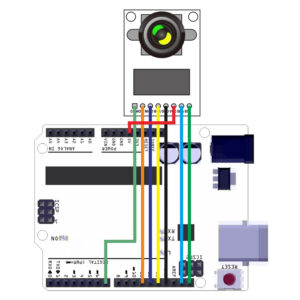

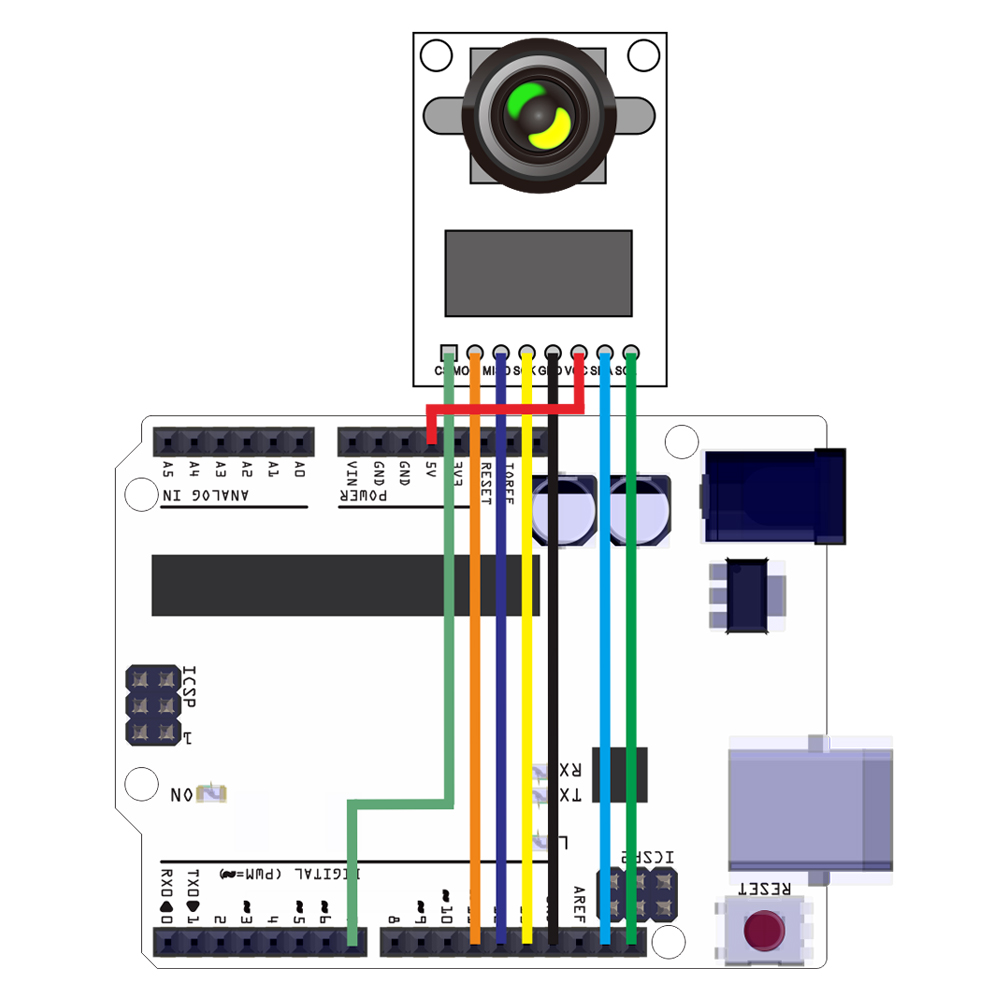
 Configure the camera setting You need to modify the memorysaver.h file in order to enable OV2640_MINI_2MP or OV5642_MINI_5MP_PLUS or OV5640_MINI_5MP_PLUS camera modules.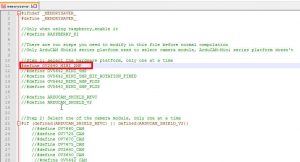
 Only one camera can be enabled at a time.The memorysaver.h file is under the ArduCAM libraries of Arduino directory in order to be recognized by the Arduino IDE.After that open the Arduino IDE,Select Arduino/Genuino Uno board from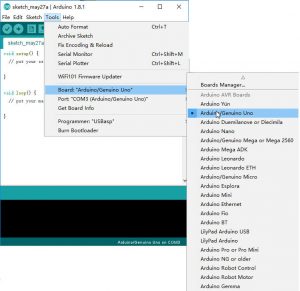
 Select the example from File->Examples->ArduCAM->mini->ArduCAM_Mini_Video_Streaming and upload it.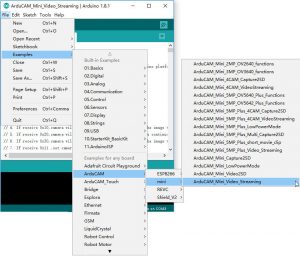

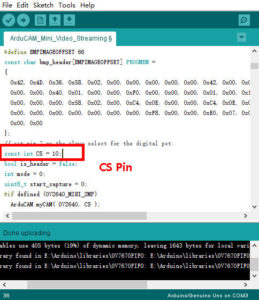
 Open ArduCAM_Host_V2.0_Windows Host app.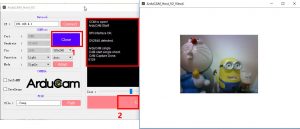
 For more information about ArduCAM library, please refer to:http://www.arducam.com/downloads/shields/ArduCAM_Camera_Shield_Software_Application_Note.pdf