Arducam for Raspberry Pi 4 HD Cameras Hand-on: Arducam Ensures Your Compatibilities While Exploring New Opportunities

Arducam for Raspberry Pi 4 HD Cameras Hand-on: Arducam Ensures Your Compatibilities While Exploring New Opportunities

by Lee Jackson | Jul 20, 2019 | Raspberry Pi Camera

Last week, we finally received the package that contained the Raspberry Pi 4s we had ordered and started testing our camera modules on them. The Good news is that the Raspberry Pi 4 still keeps backward compatibility with the previous camera modules and sensors, so...
Raspberry Pi 4 and Arducam: New Opportunities and Challenges to Arducam Camera Modules

Raspberry Pi 4 and Arducam: New Opportunities and Challenges to Arducam Camera Modules

by Lee Jackson | Jul 2, 2019 | Raspberry Pi Camera

The Raspberry Pi 4 Model B has been released on Jun 29th, and now you have access to up to 4GB of memory and 2 USB 3.0 ports, and that means a lot for Raspberry Pi 4 projects, especially for camera applications. With a boost in its performance, this long-anticipated...
Arducam Introduces 8MP IMX219 Auto Focus, Wide Angle, Zero-Distortion and Spy Camera to the NVidia Jetson Nano

Arducam Introduces 8MP IMX219 Auto Focus, Wide Angle, Zero-Distortion and Spy Camera to the NVidia Jetson Nano

by Lee Jackson | Jun 25, 2019 | NVIDIA Jetson, Product Release

Before We StartThe Jetson Nano and Jetson Xavier NX comes out with support for the Raspberry Pi camera like IMX219, and Arducam builds all kinds of IMX219 variations for the Jetson Nano to meet different needs of the users. But aside from the IMX219, Arducam also...
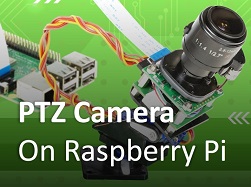
Pan/Tilt/Zoom (PTZ) Camera Is Finally Coming to The Raspberry Pi Thanks to Arducam

Pan/Tilt/Zoom (PTZ) Camera Is Finally Coming to The Raspberry Pi Thanks to Arducam

by Lee Jackson | Apr 14, 2019 | Product Release, Raspberry Pi Camera

We all know that there is a CSI connector on the Raspberry Pi to facilitate the connections of a small camera to the processor, but how should we facilitate the small camera itself? As a professional camera manufacturer and solution provider, Arducam has been obsessed...
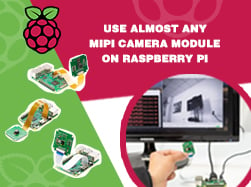
Use Almost Any MIPI Camera Module on Raspberry Pi (up to 21MP)

Use Almost Any MIPI Camera Module on Raspberry Pi (up to 21MP)

by Lee Jackson | Mar 15, 2019 | Product Release, Raspberry Pi Camera

Before we startCameras are complex devices that require drivers to work, which usually leads us to vendor-specific closed-source solutions or no option at all. Arducam aims to address that problem for Arduino (Arducam SPI Cameras), Raspberry Pi (Arducam Pivareity),...
« Older Entries
Next Entries »

Price

Platform

Camera Solution

Interface

Sensor

Shutter Type

On-board ISP

Resolution

Color Array Filter

Focus Type

Lens Mount

Recent Posts

  • Introducing the Arducam ezBOX Series: Simplifying Embedded Vision Solutions August 22, 2025
  • Successful Genlocked Multicamera Capture with Arducam December 27, 2024
  • Sustainable Farming Innovations: Exploring the AgrarBot Project December 11, 2024

Information

  • Contact Us
  • Privacy Policy
  • Shipping & Tracking
  • Buy on Amazon
  • About Us
  • Focal Length Calculator

Products

Evaluation Kit (EVK)

Embedded Camera Module

UVC Camera Module

Edge AI

Optical Components

Customization

Custom Design

Capabilities

Customer Stories

Arducam Partners

Arducam Shop

Partnership

with SONY

with libcamera

with Luxonis

with Ezurio

More Partners

Resources

Docs / WiKi

Blog

Forum

FOV Calculator

Lens Selection Guide

Solutions

Contact

About Us

Distributors

Contact Form

Technical Support

Shipping Policy

Return Policy

arducam(白红logo)
  • Follow
  • Follow
  • Follow
© 2026 Arducam All Rights Reserved.
Loading...

undraw welcome cats thqn

Welcome to the Arducam Forum.


Here are our forum rules to comply with if you want to post a new topic:

Arducam posting rules

The posting rules aim to help you better articulate your questions and be descriptive enough to get help. 

Any topic that fails to comply with the posting rules will be unapproved starting from 11/11/2020.

This forum is public. If you prefer a private conversation with Arducam, go to our Contact Center.

If you need help with the Arducam products you’ve purchased, please include the following questions in your post and answer them to help us better understand your needs.

  1. Which seller did you purchase the product(s) from? (Is it Amazon, UCTRONICS, or other Arducam distributors?)
  2. What’s the Model number of the product(s) you’ve purchased? (If you don’t know the model number, show us the link to the product.)
  3. Which Platform are you using the product(s) on? (Is it a Raspberry Pi 3B+/4B, Arduino UNO R3, Jetson Nano B01, or another host?)
  4. Which instruction are you following? (Is it our paper instruction manual, online documentation, or video tutorial? A link will Help.)
  5. Has your product ever worked properly? (Never worked, quit working, or work intermittently)
  6. What problems are you experiencing? (pictures and error codes will help a lot)
  7. What attempts at troubleshooting have you already made?
  8. How would you like us to help you?
Subscription to Our Newsletter


[mailmunch-form id=”837029″]

Insert/edit link

Enter the destination URL

Or link to existing content

    No search term specified. Showing recent items. Search or use up and down arrow keys to select an item.