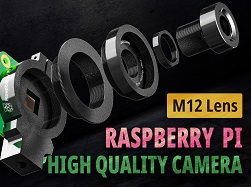
https://youtu.be/TYYeOuB-BMQVideo can’t be loaded because JavaScript is disabled: RPi HQ Camera Lens Alternatives (CS-Mount & C-Mount Lens) (https://youtu.be/TYYeOuB-BMQ) The HQ camera with C/CS-Mount is a big step forward Lens is a crucial part in a camera...
Before we startAlthough prevailing in embedded cameras, M12 lenses have never been made official to the Raspberry Pi. However, Arducam offers solutions to use M12 lenses on V1 OV5647 cameras, V2 IMX219 cameras, and HQ IMX477 cameras. This blog is about IMX477 HQ...
Table Of ContentsHQ cam is not the new V3 – it’s not a full camera module6mm Wide Angle and 16mm telephoto lens for Raspberry Pi HQ CameraFocal length – The shorter, the widerHow to Keep your image in focusRaspberry Pi High Quality camera Autofocus?The...
The Difference Between A Compute Module and A Raspberry Pi Most of us are familiar with the standard Raspberry Pi models, such as the Raspberry Pi 2, 3, 3B+, 4. Aside from these models for the consumer end, there is another lineup of the Raspberry Pi family intended...
When it comes to developing a camera-related project on embedded systems like the Raspberry Pi (RPi) or NVIDIA Jetson Nano (NJN), we will take many factors into consideration. To help you better select a camera module, here is a quick start guide from Arducam....
Stereo vision for Raspberry Pi Most creatures have evolved to see the world with two eyes, but most of the Rasberry Pi models have not – the standard Raspberry Pi only comes with a single camera port. Hard as we try, the multi-camera and stereo vision applications on...
Here are our forum rules to comply with if you want to post a new topic:
Arducam posting rules
The posting rules aim to help you better articulate your questions and be descriptive enough to get help.
Any topic that fails to comply with the posting rules will be unapproved starting from 11/11/2020.
This forum is public. If you prefer a private conversation with Arducam, go to our Contact Center.
If you need help with the Arducam products you’ve purchased, please include the following questions in your post and answer them to help us better understand your needs.
Which seller did you purchase the product(s) from? (Is it Amazon, UCTRONICS, or other Arducam distributors?)
What’s the Model number of the product(s) you’ve purchased? (If you don’t know the model number, show us the link to the product.)
Which Platform are you using the product(s) on? (Is it a Raspberry Pi 3B+/4B, Arduino UNO R3, Jetson Nano B01, or another host?)
Which instruction are you following? (Is it our paper instruction manual, online documentation, or video tutorial? A link will Help.)
Has your product ever worked properly? (Never worked, quit working, or work intermittently)
What problems are you experiencing? (pictures and error codes will help a lot)
What attempts at troubleshooting have you already made?